

Listing
Resuming
/resume [session-id] does the same, and Ctrl+S or Ctrl+O opens the sessions panel:
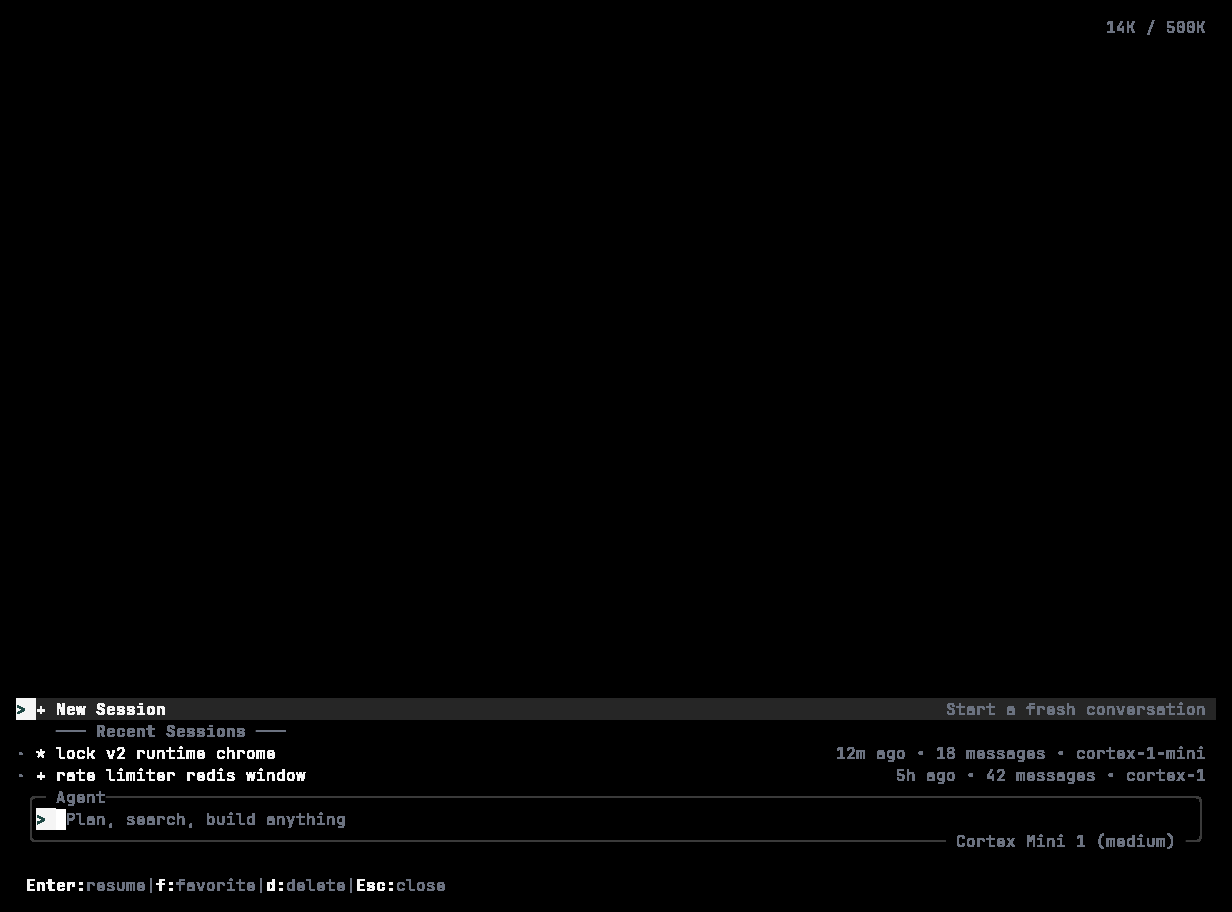
/resume: type to search; each row shows the title, age, message count, and branch. Enter resumes, f favourites, d deletes.
cortex run --continue continues the most recent session non-interactively; cortex run --session <ID> continues a specific one. A persisted goal comes back with the session.
Starting fresh
/new starts a new session without leaving the TUI. /clear empties the conversation but keeps the session — it asks first, and says exactly what is dropped and what is kept.
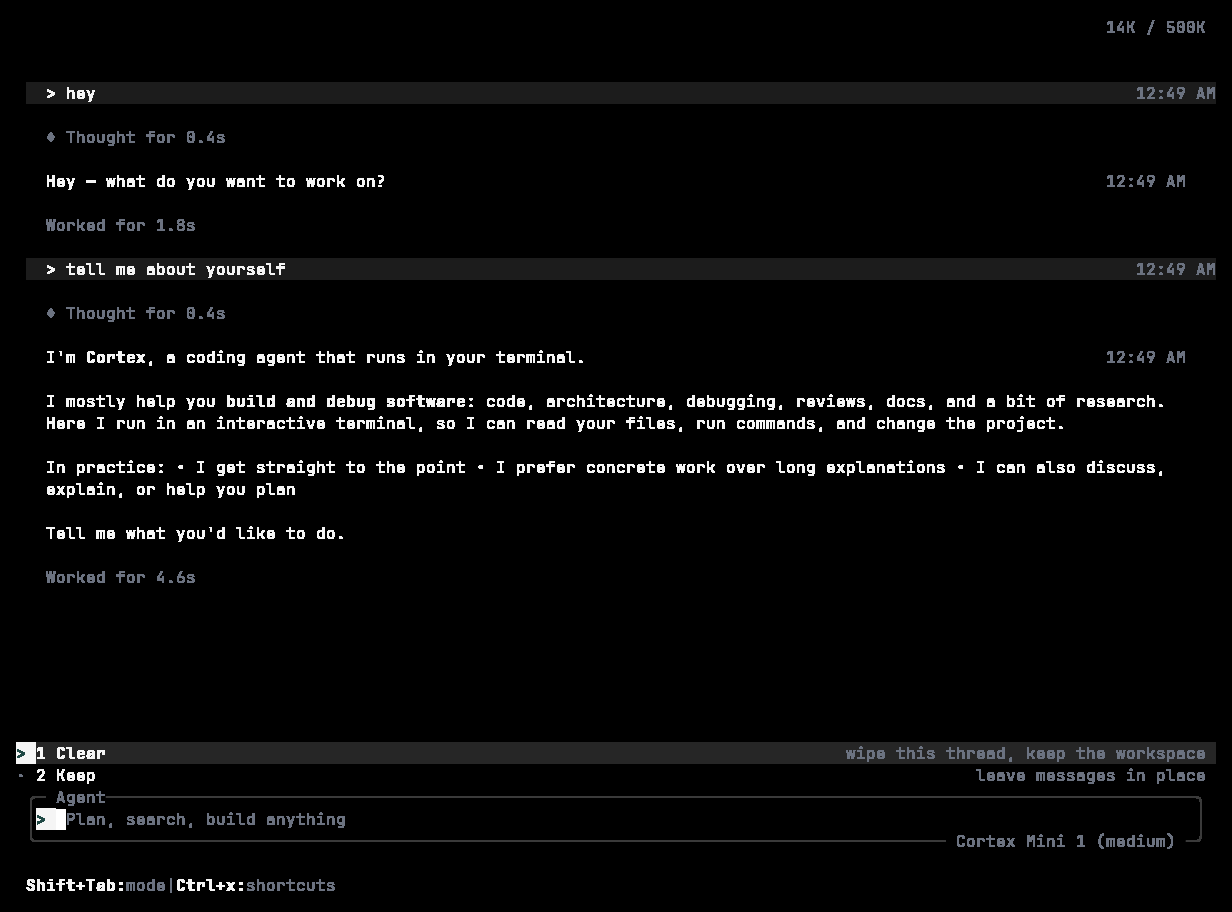
/clear: the transcript is dropped; git, files, and config stay as they are.
Rewinding and forking
Press Esc twice quickly to open the rewind overlay. Use ← / → to pick an earlier point, then Enter to roll back to it, f to fork a new session from it, or Esc to cancel./rewind [steps], /undo, and /redo cover the same ground from the composer; /fork [name] forks the current session.
Exporting
/export offers Markdown, JSON, or plain text and writes cortex_<title>_<date>.<ext> to your documents or home directory. Markdown exports keep the model’s reasoning in a collapsed details block when present.
Importing
Sharing
cortex run --share shares the session on completion and prints the URL. In the TUI, /share [duration] creates a link; durations read 30d, 24h, 60m, or never.
Protecting sessions from cleanup
cortex compact and cortex delete.
Deleting and cleaning up
cortex cache manages the model, response, and update caches separately; cortex logs reads and prunes log files.
Titles and favourites
/rename <name>, /favorite, /unfavorite. /session prints the current session’s details; /timeline shows its timeline.
Where sessions live
~/.cortex/sessions/ by default, with goal.json beside a session that has a goal, and ~/.cortex/code-sessions.json mapping each workspace to its Code session id. cortex debug paths prints the real locations on your machine. See Configuration → Data locations.
Related
- Goals
- Headless runs — continuing a session across
cortex execinvocations. - Code sessions — the same sessions in the web app.