> ## Documentation Index
> Fetch the complete documentation index at: https://cortex-foundation-add13747-droid-1a2462c9-cor-444-sanitize.mintlify.site/llms.txt
> Use this file to discover all available pages before exploring further.
# Settings
> Theme, language, answer font, keyboard shortcuts, default models, integrations, privacy, and billing — everything under Settings in the web app.
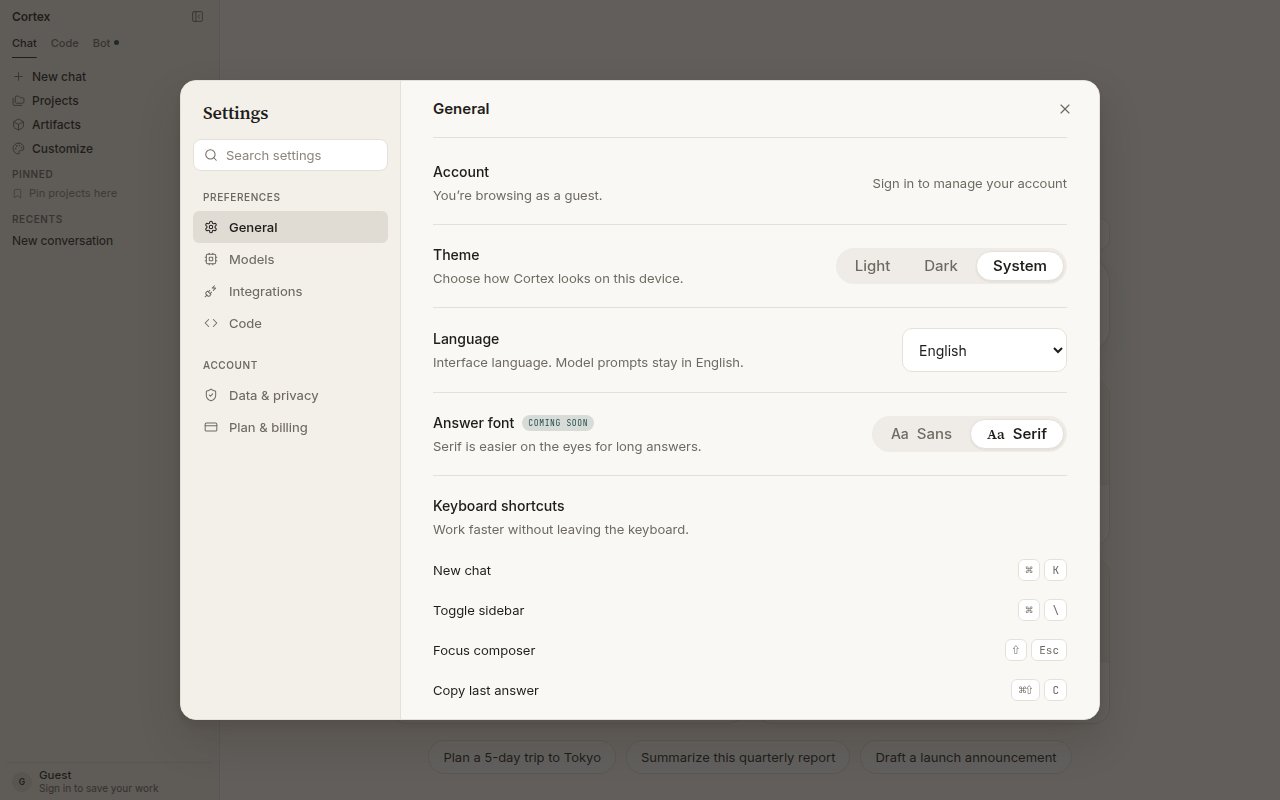
Open **Settings** from the sidebar footer, or go to `cortex.foundation/settings`. It is a panel with two sections: **Preferences** (General, Models, Integrations, Code) and **Account** (Data & privacy, Plan & billing). Guests can browse it; account controls unlock after you sign in.
 ## General
| Setting | Options | Notes |
| --------------- | ----------------------------------------------------------------------- | ------------------------------------------------------------------------------------------ |
| **Account** | Sign in / manage account | Shows “You're browsing as a guest” until you sign in |
| **Theme** | Light · Dark · System | How Cortex looks on this device |
| **Language** | English, Français, Español, Deutsch, 日本語, 简体中文, Português (Brasil), 한국어 | Interface language only. Model prompts stay in English. |
| **Answer font** | Sans · Serif | Serif is easier on the eyes for long answers. Marked *coming soon* at the time of writing. |
### Keyboard shortcuts
Shortcuts are listed at the bottom of **General**. On Windows and Linux, read ⌘ as **Ctrl**.
| Action | Shortcut |
| ------------------------ | ------------- |
| New chat | ⌘ K |
| Toggle sidebar | ⌘ \\ |
| Focus composer | ⇧ Esc |
| Copy last answer | ⌘ ⇧ C |
| Stop response | Esc |
| Send | Enter |
| New line in the composer | Shift + Enter |
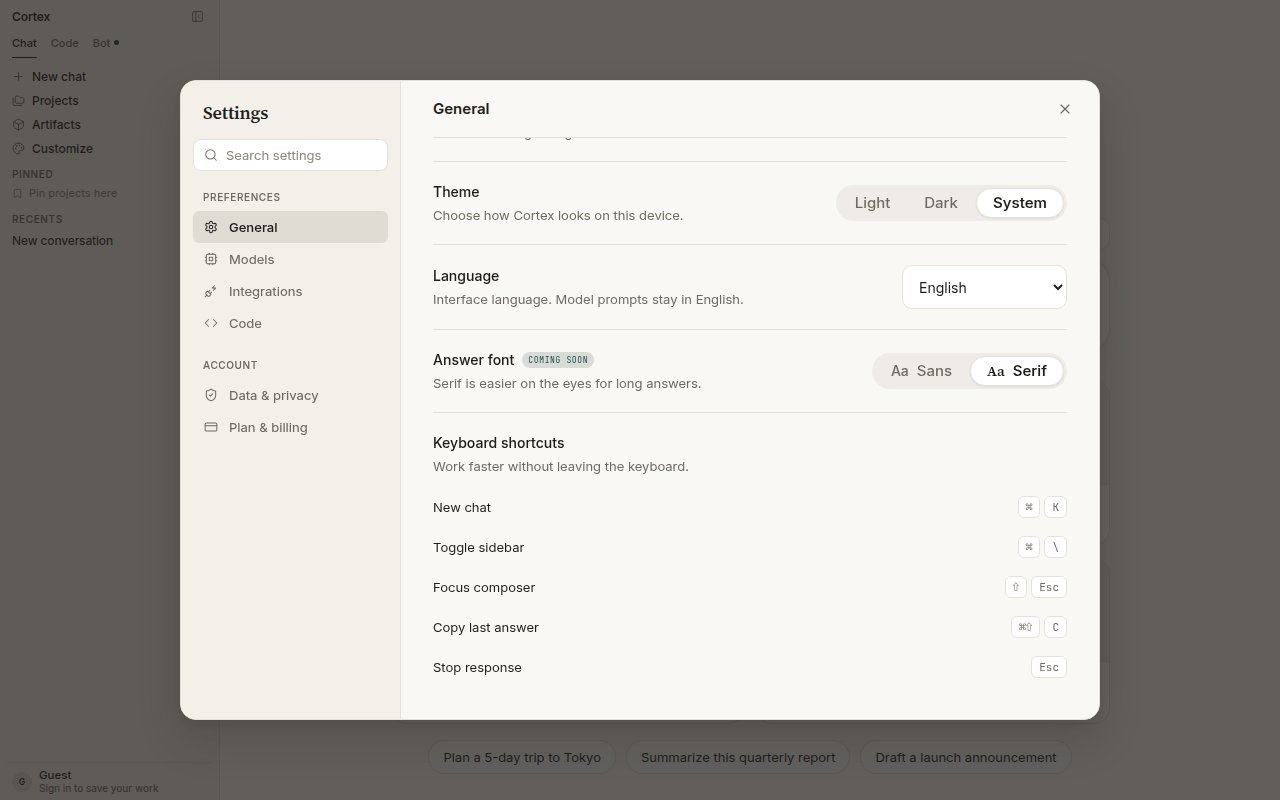
## General
| Setting | Options | Notes |
| --------------- | ----------------------------------------------------------------------- | ------------------------------------------------------------------------------------------ |
| **Account** | Sign in / manage account | Shows “You're browsing as a guest” until you sign in |
| **Theme** | Light · Dark · System | How Cortex looks on this device |
| **Language** | English, Français, Español, Deutsch, 日本語, 简体中文, Português (Brasil), 한국어 | Interface language only. Model prompts stay in English. |
| **Answer font** | Sans · Serif | Serif is easier on the eyes for long answers. Marked *coming soon* at the time of writing. |
### Keyboard shortcuts
Shortcuts are listed at the bottom of **General**. On Windows and Linux, read ⌘ as **Ctrl**.
| Action | Shortcut |
| ------------------------ | ------------- |
| New chat | ⌘ K |
| Toggle sidebar | ⌘ \\ |
| Focus composer | ⇧ Esc |
| Copy last answer | ⌘ ⇧ C |
| Stop response | Esc |
| Send | Enter |
| New line in the composer | Shift + Enter |
 ## Models
**Models** lists what Chat can serve and lets you choose defaults for new chats. You can always switch per conversation from the composer chip; see [Models](/chat/models).
| Setting | What it does |
| ---------------------------- | ------------------------------------------------------------------------------------------------------------------------------ |
| **Default model** | Used for new chats. Cortex 1 Mini (default), Cortex Teutonic-1, Cortex-Image-1 for pictures. *Coming soon* as a saved default. |
| **Default thinking level** | Low · Medium · High — how much time Cortex spends reasoning before it answers. *Coming soon* as a saved default. |
| **Show reasoning summaries** | Display a short summary of the model's thinking above each answer. *Coming soon.* |
Model availability depends on your plan. During peak hours new chats may fall back to a faster model.
## Integrations
**Integrations** is where a signed-in account connects apps and MCP servers. GitHub is live with four tools (list pull requests, list issues, create issue, and more); Linear, Slack, Notion, and Vercel are listed as coming soon. Under **MCP servers** you attach a Model Context Protocol server over HTTP by name and URL, with an optional bearer token. Details: [Tools and connectors](/chat/tools).
## Code
**Settings → Code** holds Code's default model, fallbacks, and an allowlist of model references. The list of enabled providers is shown read-only; keys are sealed in the keyring, never shown, never in git. Most people leave this section alone — Code picks a sensible default. See [Code sessions](/code/sessions).
## Data & privacy
| Control | Default | Notes |
| ----------------------------- | --------- | ---------------------------------------------------------------------------------------------------------------------------------------------- |
| **Save chat history** | On | Conversations are kept in your account so you can pick them up on any device. *Coming soon* as a toggle. |
| **Improve the model** | Off | When on, a sample of your conversations may be reviewed to train future models. Your chats are never used without this setting. *Coming soon.* |
| **Necessary cookies** | Always on | Session, language, and this preference. Cortex cannot work without them. |
| **Optional analytics** | Off | Stays off until you allow it. Nothing in the current build loads an optional tracker. |
| **Memory** | — | Review or delete individual memories. See [Memory](/chat/memory). |
| **Two-factor authentication** | — | A signed-in account uses an authenticator app to confirm export and deletion. |
| **Your data** | — | **Export my data** and **Delete all data**. Deletion takes effect within 30 days. |
See [Security](/security/overview) for what Cortex stores and where code runs.
## Plan & billing
Your current plan, today's and this month's usage with reset timers, the plan ladder (Free, Go, Plus, Pro), and billing history. See [Plans and quotas](/getting-started/plans).
## Settings elsewhere
| Surface | Where settings live |
| -------------------------- | -------------------------------------------------------------------------------------------------------------------- |
| **CLI** | `/settings` in the TUI, `cortex config`, and `~/.cortex/config.toml`. See [CLI configuration](/cli/configuration). |
| **Connected apps** | **Customize → Connectors** in the sidebar, and **Settings → Integrations**. See [Tools and connectors](/chat/tools). |
| **Cortex Security policy** | `/code/security/policy` in the app. See [Cortex Security](/code/security). |
## Models
**Models** lists what Chat can serve and lets you choose defaults for new chats. You can always switch per conversation from the composer chip; see [Models](/chat/models).
| Setting | What it does |
| ---------------------------- | ------------------------------------------------------------------------------------------------------------------------------ |
| **Default model** | Used for new chats. Cortex 1 Mini (default), Cortex Teutonic-1, Cortex-Image-1 for pictures. *Coming soon* as a saved default. |
| **Default thinking level** | Low · Medium · High — how much time Cortex spends reasoning before it answers. *Coming soon* as a saved default. |
| **Show reasoning summaries** | Display a short summary of the model's thinking above each answer. *Coming soon.* |
Model availability depends on your plan. During peak hours new chats may fall back to a faster model.
## Integrations
**Integrations** is where a signed-in account connects apps and MCP servers. GitHub is live with four tools (list pull requests, list issues, create issue, and more); Linear, Slack, Notion, and Vercel are listed as coming soon. Under **MCP servers** you attach a Model Context Protocol server over HTTP by name and URL, with an optional bearer token. Details: [Tools and connectors](/chat/tools).
## Code
**Settings → Code** holds Code's default model, fallbacks, and an allowlist of model references. The list of enabled providers is shown read-only; keys are sealed in the keyring, never shown, never in git. Most people leave this section alone — Code picks a sensible default. See [Code sessions](/code/sessions).
## Data & privacy
| Control | Default | Notes |
| ----------------------------- | --------- | ---------------------------------------------------------------------------------------------------------------------------------------------- |
| **Save chat history** | On | Conversations are kept in your account so you can pick them up on any device. *Coming soon* as a toggle. |
| **Improve the model** | Off | When on, a sample of your conversations may be reviewed to train future models. Your chats are never used without this setting. *Coming soon.* |
| **Necessary cookies** | Always on | Session, language, and this preference. Cortex cannot work without them. |
| **Optional analytics** | Off | Stays off until you allow it. Nothing in the current build loads an optional tracker. |
| **Memory** | — | Review or delete individual memories. See [Memory](/chat/memory). |
| **Two-factor authentication** | — | A signed-in account uses an authenticator app to confirm export and deletion. |
| **Your data** | — | **Export my data** and **Delete all data**. Deletion takes effect within 30 days. |
See [Security](/security/overview) for what Cortex stores and where code runs.
## Plan & billing
Your current plan, today's and this month's usage with reset timers, the plan ladder (Free, Go, Plus, Pro), and billing history. See [Plans and quotas](/getting-started/plans).
## Settings elsewhere
| Surface | Where settings live |
| -------------------------- | -------------------------------------------------------------------------------------------------------------------- |
| **CLI** | `/settings` in the TUI, `cortex config`, and `~/.cortex/config.toml`. See [CLI configuration](/cli/configuration). |
| **Connected apps** | **Customize → Connectors** in the sidebar, and **Settings → Integrations**. See [Tools and connectors](/chat/tools). |
| **Cortex Security policy** | `/code/security/policy` in the app. See [Cortex Security](/code/security). |