> ## Documentation Index
> Fetch the complete documentation index at: https://cortex-foundation-add13747-droid-1a2462c9-cor-444-sanitize.mintlify.site/llms.txt
> Use this file to discover all available pages before exploring further.
# The TUI
> What is on screen when you run cortex — the timeline and its rows, the composer, the status line, the footer, queueing follow-ups, interrupting, and the panels behind Ctrl+K.
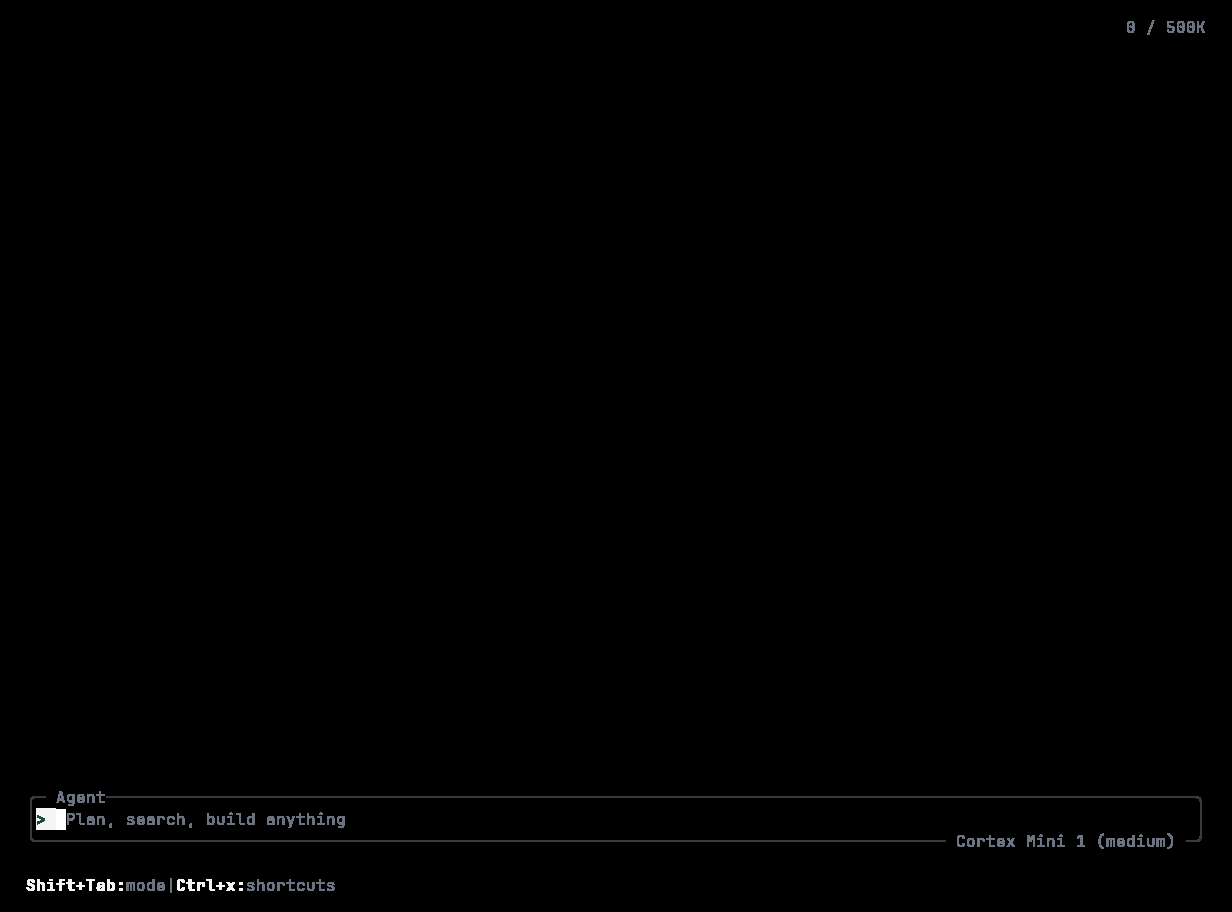
`cortex` with a terminal attached starts the interactive UI. It takes the full viewport by default (the alternate screen) and gives you three things: a **timeline** of the conversation and the agent's work, a **composer** at the bottom, and a **footer** with the model, the mode, and the most useful shortcut.
 ## Starting it
```bash theme={null}
cortex # current directory
cortex "review the auth module" # start with a prompt already submitted
cortex --cd /path/to/project # another working root
cortex --model # pick a model for this session
cortex --profile work # load a profile from config.toml
cortex --no-alternate-screen # stay inline in the host terminal
```
The TUI needs a terminal on both stdin and stdout; if either is redirected it refuses to start and points you at [`cortex run` or `cortex exec`](/cli/headless).
## The welcome splash
Before the first turn the timeline shows two lines — *Welcome to Cortex, the coding agent CLI* and `v0.1.x · / commands · @ files · ! shell · & cloud` — plus a first-run tips panel. After your first turn the splash is dropped; an empty session is composer and footer only.
## Timeline rows
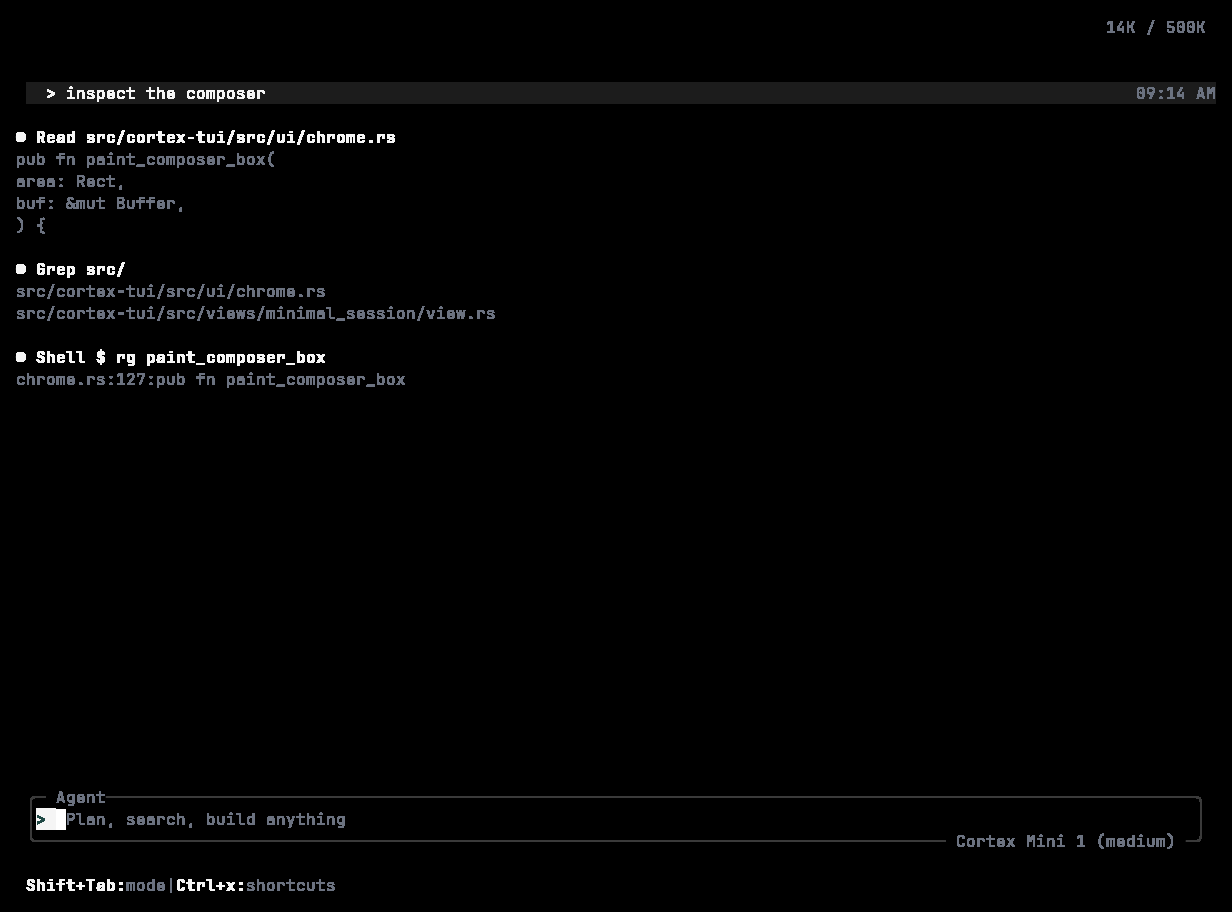
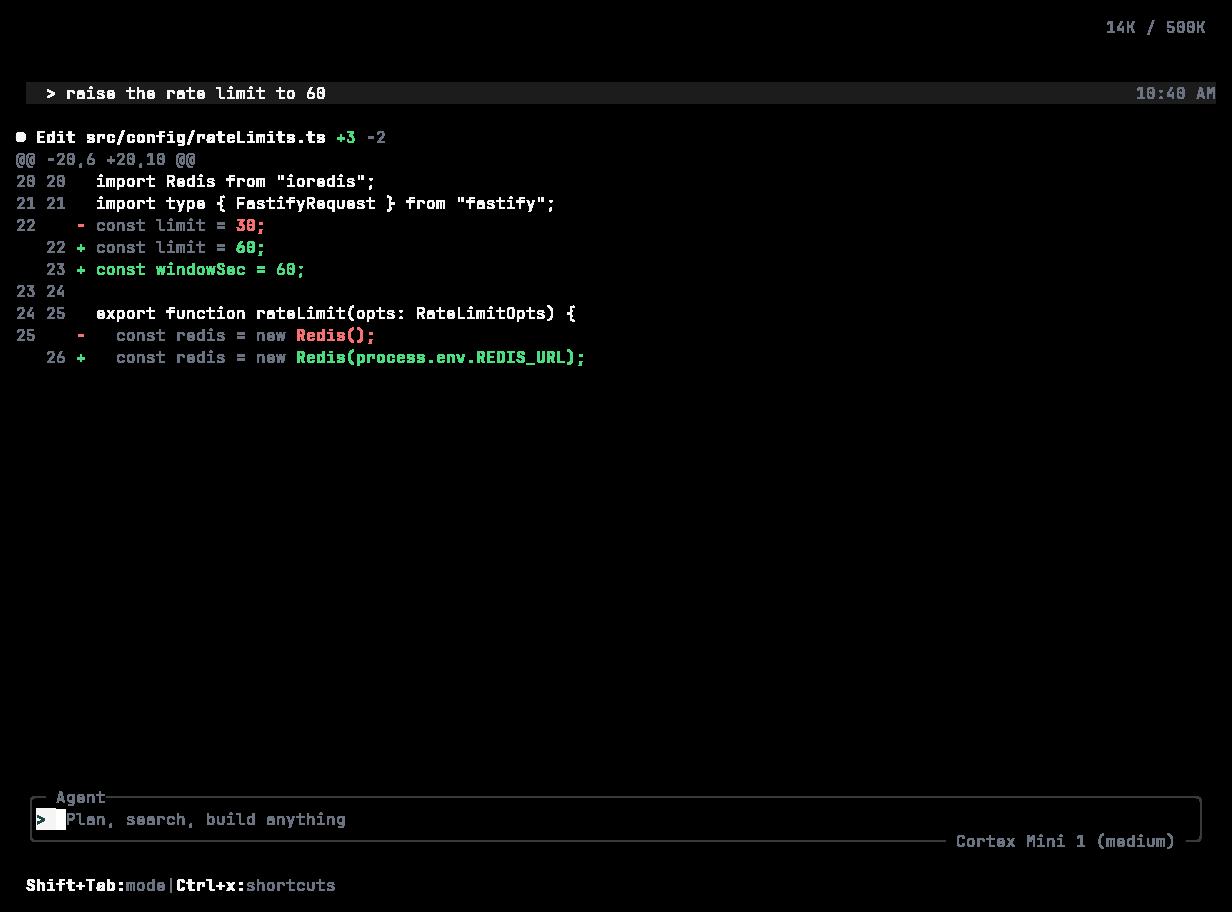
| Row | Looks like | Meaning |
| ------------- | ------------------------------------------------------------------------------------------------------------------------- | --------------------------------------------------------- |
| Your prompt | `> add ioredis and a mock for the tests` on a light bar, with the time | A message you submitted |
| Thinking | `♦ Thought for 1.4s` | The model reasoned before acting |
| Agent prose | Rendered markdown — headings, lists, tables as an ASCII grid, code between hairlines with a language tag and line numbers | The model's reply, streamed |
| Tool call | `● Shell $ cargo test -p cortex-tui · ✓ 0 · 41s` | A tool the agent invoked, with a short summary and result |
| Edit | A unified diff: dim gutter, red `-`, green `+`, a `+N -N` stat | A file change |
| Worked for | `Worked for 4.6s` | The turn finished |
| Stopped | `× Stopped` | You interrupted the turn |
| Subagent task | `● Task ` with a todo list beneath | Work delegated to a subagent |
Tool rows collapse to a summary; with the timeline focused, press **e** to expand or collapse the selected one.
## Starting it
```bash theme={null}
cortex # current directory
cortex "review the auth module" # start with a prompt already submitted
cortex --cd /path/to/project # another working root
cortex --model # pick a model for this session
cortex --profile work # load a profile from config.toml
cortex --no-alternate-screen # stay inline in the host terminal
```
The TUI needs a terminal on both stdin and stdout; if either is redirected it refuses to start and points you at [`cortex run` or `cortex exec`](/cli/headless).
## The welcome splash
Before the first turn the timeline shows two lines — *Welcome to Cortex, the coding agent CLI* and `v0.1.x · / commands · @ files · ! shell · & cloud` — plus a first-run tips panel. After your first turn the splash is dropped; an empty session is composer and footer only.
## Timeline rows
| Row | Looks like | Meaning |
| ------------- | ------------------------------------------------------------------------------------------------------------------------- | --------------------------------------------------------- |
| Your prompt | `> add ioredis and a mock for the tests` on a light bar, with the time | A message you submitted |
| Thinking | `♦ Thought for 1.4s` | The model reasoned before acting |
| Agent prose | Rendered markdown — headings, lists, tables as an ASCII grid, code between hairlines with a language tag and line numbers | The model's reply, streamed |
| Tool call | `● Shell $ cargo test -p cortex-tui · ✓ 0 · 41s` | A tool the agent invoked, with a short summary and result |
| Edit | A unified diff: dim gutter, red `-`, green `+`, a `+N -N` stat | A file change |
| Worked for | `Worked for 4.6s` | The turn finished |
| Stopped | `× Stopped` | You interrupted the turn |
| Subagent task | `● Task ` with a todo list beneath | Work delegated to a subagent |
Tool rows collapse to a summary; with the timeline focused, press **e** to expand or collapse the selected one.
 ## The status line
While a turn runs, a line above the composer shows a spinner, the stage — *Thinking*, *Executing \*, *Streaming*, *Delegation* — the elapsed time, tokens used, and **esc to interrupt**.
## The composer
* `> ` with a block caret; the dim placeholder *Plan, search, build anything* until you type.
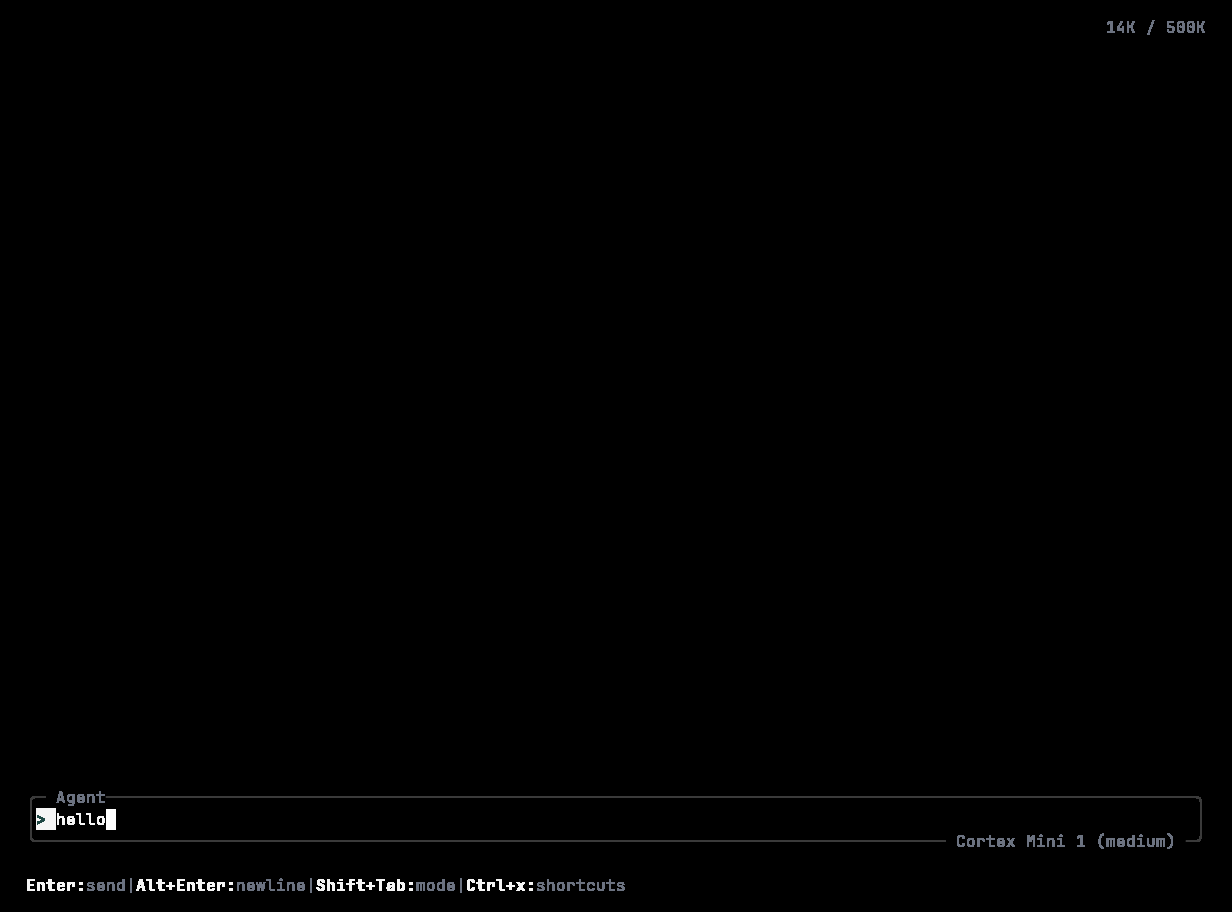
* **Enter** sends. **Shift+Enter** (or **Alt+Enter**) inserts a newline. **Up** / **Down** walk your prompt history.
* Type `/` for [slash commands](/cli/slash-commands); type `@` to reference a file or symbol; both autocomplete in a popup. A line starting with `/` that is not a known command is sent to the agent as an ordinary message.
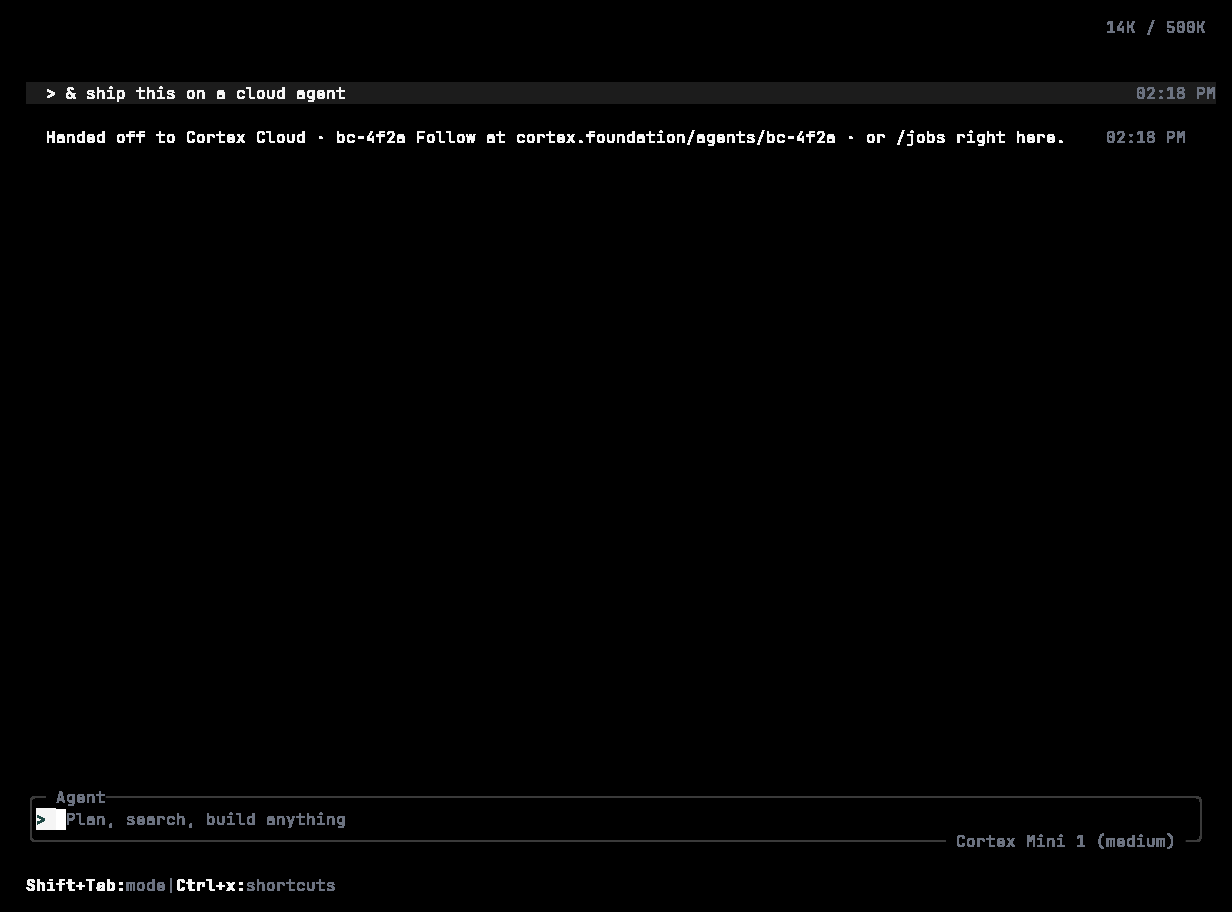
* `!` runs a shell command directly. `&` prefixes a task to hand off to Cortex Cloud — the timeline shows *Handed off to Cortex Cloud* with the agent and branch, and `/jobs` follows it.
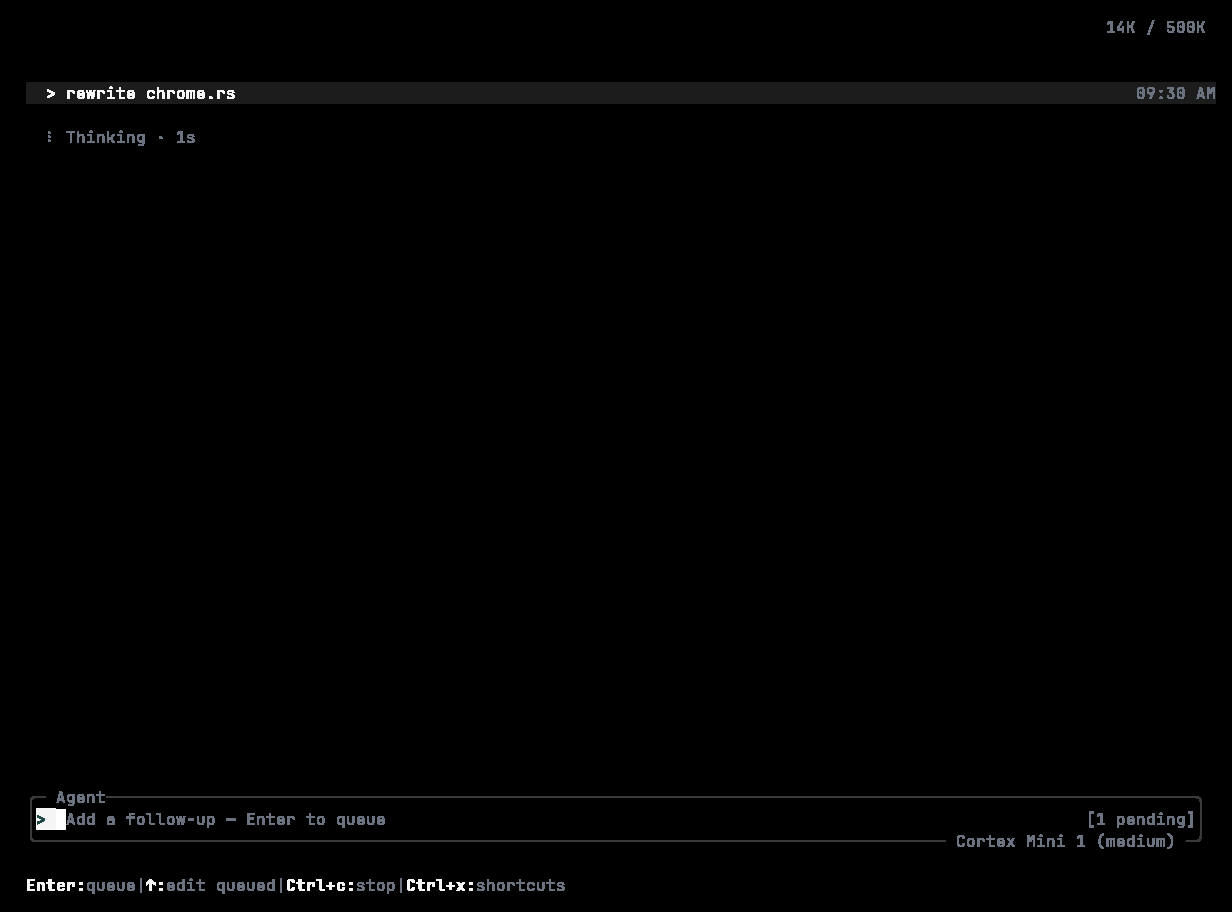
* Submit while a turn is running and the message is **queued** — the composer reads *Add a follow-up — Enter to queue* and shows how many are waiting.
## The status line
While a turn runs, a line above the composer shows a spinner, the stage — *Thinking*, *Executing \*, *Streaming*, *Delegation* — the elapsed time, tokens used, and **esc to interrupt**.
## The composer
* `> ` with a block caret; the dim placeholder *Plan, search, build anything* until you type.
* **Enter** sends. **Shift+Enter** (or **Alt+Enter**) inserts a newline. **Up** / **Down** walk your prompt history.
* Type `/` for [slash commands](/cli/slash-commands); type `@` to reference a file or symbol; both autocomplete in a popup. A line starting with `/` that is not a known command is sent to the agent as an ordinary message.
* `!` runs a shell command directly. `&` prefixes a task to hand off to Cortex Cloud — the timeline shows *Handed off to Cortex Cloud* with the agent and branch, and `/jobs` follows it.
* Submit while a turn is running and the message is **queued** — the composer reads *Add a follow-up — Enter to queue* and shows how many are waiting.
 ## Footer
Left: the model, the mode, and remaining context — `Cortex Mini 1 · Agent · 92% context`. Right: one shortcut hint — `shift+tab to cycle modes`, or the palette's own keys while it is open. A token counter (`14K / 500K`) sits top right.
## Modes and autonomy
**Shift+Tab** cycles **Agent → Plan → Ask**. `/mode` opens the same picker; `/permissions` sets **Read-only**, **Smart**, or **Full access**; `/plan` drafts a plan before writing any code. Approvals appear inline as numbered choices. Everything about these controls is on [Modes and permissions](/cli/modes-and-permissions).
## Panels
Most of the surface area is one key or one slash command away:
| Panel | Open with |
| ----------------- | ---------------------------------------- |
| Command palette | **Ctrl+K** or **Ctrl+P**, or `/palette` |
| Sessions | **Ctrl+S** or **Ctrl+O**, or `/sessions` |
| Model picker | **Ctrl+M**, or `/model` |
| MCP servers | **Ctrl+E**, or `/mcp` |
| Transcript | **Ctrl+T**, or `/transcript` |
| Shortcuts overlay | **Ctrl+X** |
| Settings | **F2**, or `/settings` |
| Help | **?** or **F1**, or `/help` |
| Theme picker | `/theme` |
| Background tasks | `/jobs` or `/tasks` |
| Rewind overlay | **Esc** twice quickly |
## Interrupting and quitting
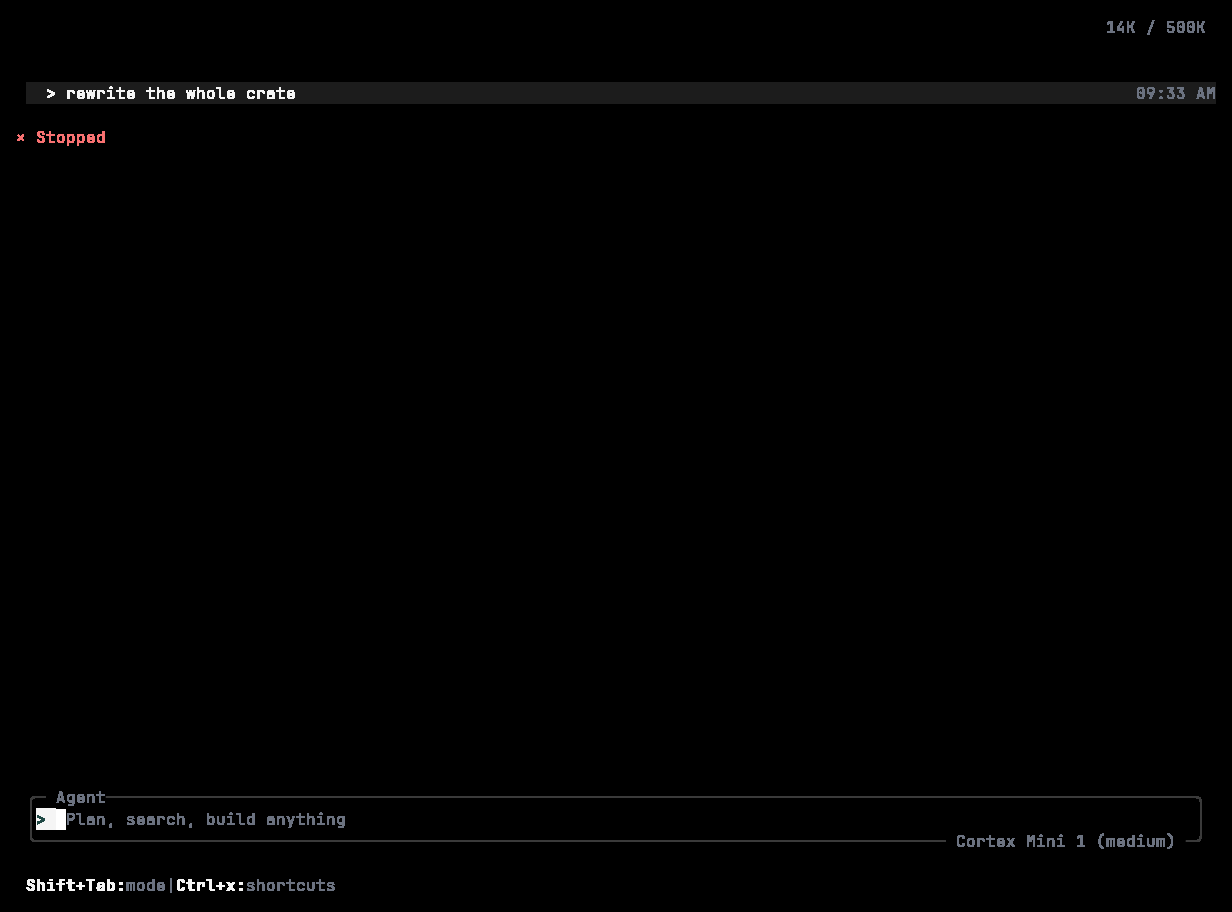
* **Esc** interrupts the current turn. The timeline records `× Stopped`; the CLI aborts its stream and tells the runtime to cancel.
* **Esc** twice quickly opens the rewind overlay to step back or fork. See [Sessions](/cli/sessions).
* **Ctrl+Q** or `/quit` quits. **Ctrl+C** force-quits.
## Footer
Left: the model, the mode, and remaining context — `Cortex Mini 1 · Agent · 92% context`. Right: one shortcut hint — `shift+tab to cycle modes`, or the palette's own keys while it is open. A token counter (`14K / 500K`) sits top right.
## Modes and autonomy
**Shift+Tab** cycles **Agent → Plan → Ask**. `/mode` opens the same picker; `/permissions` sets **Read-only**, **Smart**, or **Full access**; `/plan` drafts a plan before writing any code. Approvals appear inline as numbered choices. Everything about these controls is on [Modes and permissions](/cli/modes-and-permissions).
## Panels
Most of the surface area is one key or one slash command away:
| Panel | Open with |
| ----------------- | ---------------------------------------- |
| Command palette | **Ctrl+K** or **Ctrl+P**, or `/palette` |
| Sessions | **Ctrl+S** or **Ctrl+O**, or `/sessions` |
| Model picker | **Ctrl+M**, or `/model` |
| MCP servers | **Ctrl+E**, or `/mcp` |
| Transcript | **Ctrl+T**, or `/transcript` |
| Shortcuts overlay | **Ctrl+X** |
| Settings | **F2**, or `/settings` |
| Help | **?** or **F1**, or `/help` |
| Theme picker | `/theme` |
| Background tasks | `/jobs` or `/tasks` |
| Rewind overlay | **Esc** twice quickly |
## Interrupting and quitting
* **Esc** interrupts the current turn. The timeline records `× Stopped`; the CLI aborts its stream and tells the runtime to cancel.
* **Esc** twice quickly opens the rewind overlay to step back or fork. See [Sessions](/cli/sessions).
* **Ctrl+Q** or `/quit` quits. **Ctrl+C** force-quits.
 ## When the service is unreachable
The TUI says **The coding service is temporarily unavailable** and offers to retry — *your work so far is saved in this session*. That is the whole message by design: Cortex does not surface provider, SDK, or transport names. See [Troubleshooting](/cli/troubleshooting).
## Display
`/theme` switches between **Cortex Night** (default), **Cortex Day**, **Ocean Dark**, and **Monokai**. `/compact` toggles a denser layout. The accent is Cortex green `#1F4945` on the focused control; the rest of the chrome is grey. See [Extend → Themes](/cli/extend#themes).
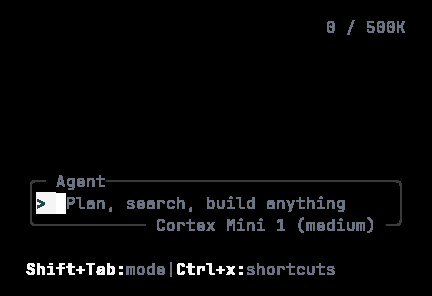
The chrome holds its shape in a small terminal. At 40 columns by 12 rows the composer keeps its border, mode label, model chip, and footer hint:
## When the service is unreachable
The TUI says **The coding service is temporarily unavailable** and offers to retry — *your work so far is saved in this session*. That is the whole message by design: Cortex does not surface provider, SDK, or transport names. See [Troubleshooting](/cli/troubleshooting).
## Display
`/theme` switches between **Cortex Night** (default), **Cortex Day**, **Ocean Dark**, and **Monokai**. `/compact` toggles a denser layout. The accent is Cortex green `#1F4945` on the focused control; the rest of the chrome is grey. See [Extend → Themes](/cli/extend#themes).
The chrome holds its shape in a small terminal. At 40 columns by 12 rows the composer keeps its border, mode label, model chip, and footer hint:
 ## Related
* [Slash commands](/cli/slash-commands) · [Keyboard shortcuts](/cli/keyboard)
* [Sessions](/cli/sessions) — what happens after you close the terminal.
## Related
* [Slash commands](/cli/slash-commands) · [Keyboard shortcuts](/cli/keyboard)
* [Sessions](/cli/sessions) — what happens after you close the terminal.