> ## Documentation Index
> Fetch the complete documentation index at: https://cortex-foundation-add13747-droid-1a2462c9-cor-444-sanitize.mintlify.site/llms.txt
> Use this file to discover all available pages before exploring further.
# CLI quickstart
> From nothing installed to a working Cortex Code session in the terminal — install, sign in, first turn, AGENTS.md, and how much autonomy to grant.
Ten minutes, end to end. The TUI and `cortex exec` run on the **Cloud** Code runtime by default, so a fresh install completes a turn without any extra configuration.
 ```bash macOS and Linux theme={null}
curl -fsSL https://software.cortex.foundation/install.sh | sh
```
```powershell Windows theme={null}
irm https://software.cortex.foundation/install.ps1 | iex
```
Then `cortex --version`. Details and options: [Install](/cli/install).
```bash theme={null}
cortex login
```
The browser opens; approve the sign-in. `cortex whoami` confirms it. No browser on this machine? `cortex login --device-auth`. See [Sign in](/cli/sign-in).
```bash theme={null}
cd ~/code/my-project
cortex
```
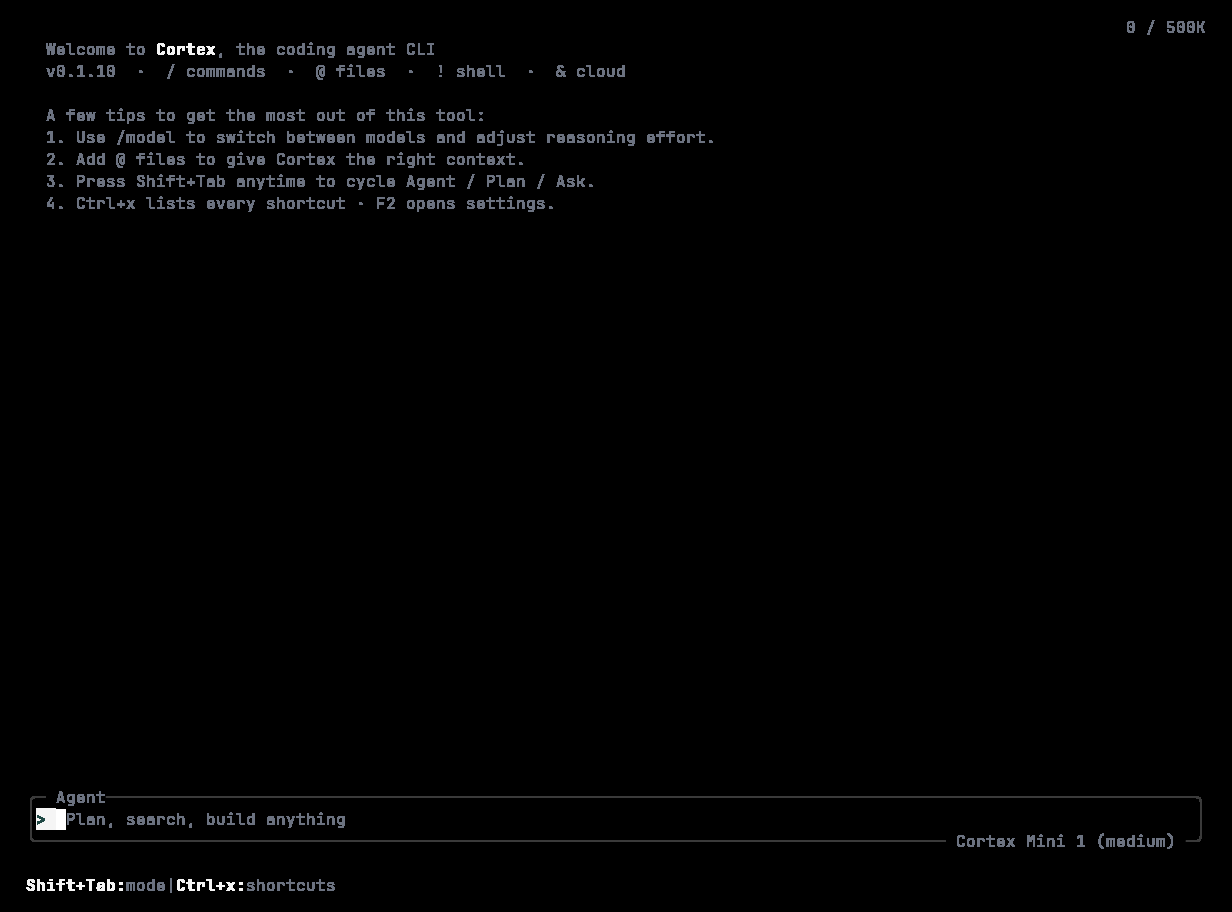
The session view opens: a timeline, a composer at the bottom, and a footer with the model and mode — `Cortex Mini 1 · Agent`. Type what you want changed and press **Enter**.
```text theme={null}
> add a /healthz endpoint and cover it with a test
```
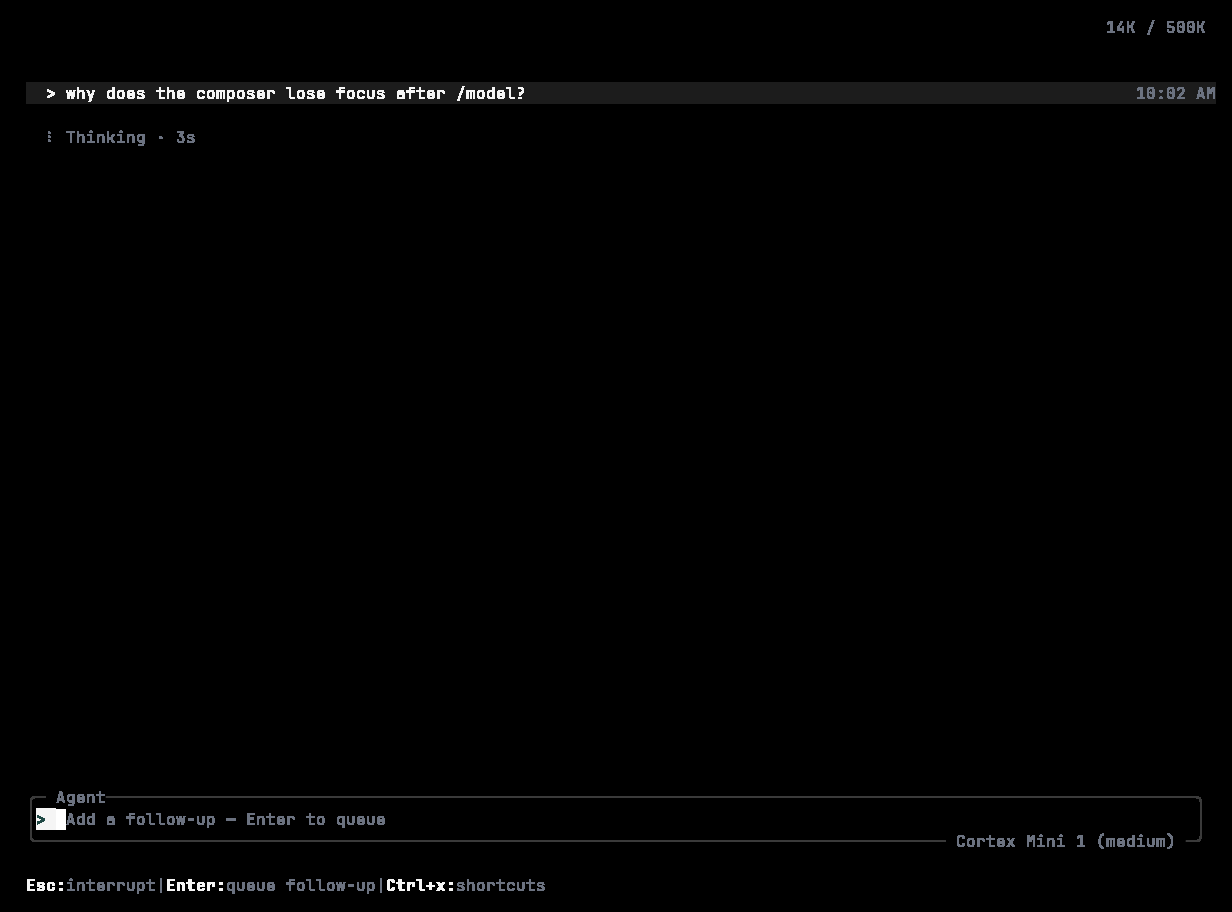
Cortex works through the request as a series of tool calls — searching, reading, editing, running commands — and each appears on the timeline as it happens. Press **Esc** to interrupt a turn that is going the wrong way.
```bash macOS and Linux theme={null}
curl -fsSL https://software.cortex.foundation/install.sh | sh
```
```powershell Windows theme={null}
irm https://software.cortex.foundation/install.ps1 | iex
```
Then `cortex --version`. Details and options: [Install](/cli/install).
```bash theme={null}
cortex login
```
The browser opens; approve the sign-in. `cortex whoami` confirms it. No browser on this machine? `cortex login --device-auth`. See [Sign in](/cli/sign-in).
```bash theme={null}
cd ~/code/my-project
cortex
```
The session view opens: a timeline, a composer at the bottom, and a footer with the model and mode — `Cortex Mini 1 · Agent`. Type what you want changed and press **Enter**.
```text theme={null}
> add a /healthz endpoint and cover it with a test
```
Cortex works through the request as a series of tool calls — searching, reading, editing, running commands — and each appears on the timeline as it happens. Press **Esc** to interrupt a turn that is going the wrong way.
 ```bash theme={null}
cortex init
```
Writes an `AGENTS.md` in the current directory. Cortex reads it at the start of every session, so put build commands, test commands, house style, and anything a new contributor would need there. `/init` does the same from inside the TUI.
Every session runs under an approval policy and a sandbox. By default Cortex asks before it does anything consequential. Press **Shift+Tab** to cycle **Agent → Plan → Ask**, use `/permissions` to pick **Read-only**, **Smart**, or **Full access**, or set it up front:
```bash theme={null}
cortex --ask-for-approval on-request # ask when the agent requests it (default)
cortex --sandbox read-only # no writes at all
cortex --sandbox workspace-write # writes confined to the workspace
cortex --full-auto # automatic, inside the sandbox
```
See [Modes and permissions](/cli/modes-and-permissions).
## Other ways to start
```bash theme={null}
cortex "explain this repository" # seed the session with a prompt
cortex --cd /path/to/project # another working root
cortex --profile work # a profile from config.toml
cortex resume --last # pick up where you left off
cortex run "explain the release process" # one-shot, streamed, no TUI
cortex exec --auto read-only --git-diff "review my uncommitted changes" # headless
```
The TUI needs a terminal on both stdin and stdout. In a pipeline or a CI job, use [`cortex run` or `cortex exec`](/cli/headless).
## Where to go next
| Want to… | Read |
| ------------------------------------------------ | ------------------------------------- |
| Understand everything on screen | [The TUI](/cli/tui) |
| Learn the `/` commands | [Slash commands](/cli/slash-commands) |
| Keep the agent working toward a bigger objective | [Goals](/cli/goal) |
| Resume, export, or share a session | [Sessions](/cli/sessions) |
| Run in CI | [Headless runs](/cli/headless) |
| Connect an MCP server or write a skill | [Extend](/cli/extend) |
```bash theme={null}
cortex init
```
Writes an `AGENTS.md` in the current directory. Cortex reads it at the start of every session, so put build commands, test commands, house style, and anything a new contributor would need there. `/init` does the same from inside the TUI.
Every session runs under an approval policy and a sandbox. By default Cortex asks before it does anything consequential. Press **Shift+Tab** to cycle **Agent → Plan → Ask**, use `/permissions` to pick **Read-only**, **Smart**, or **Full access**, or set it up front:
```bash theme={null}
cortex --ask-for-approval on-request # ask when the agent requests it (default)
cortex --sandbox read-only # no writes at all
cortex --sandbox workspace-write # writes confined to the workspace
cortex --full-auto # automatic, inside the sandbox
```
See [Modes and permissions](/cli/modes-and-permissions).
## Other ways to start
```bash theme={null}
cortex "explain this repository" # seed the session with a prompt
cortex --cd /path/to/project # another working root
cortex --profile work # a profile from config.toml
cortex resume --last # pick up where you left off
cortex run "explain the release process" # one-shot, streamed, no TUI
cortex exec --auto read-only --git-diff "review my uncommitted changes" # headless
```
The TUI needs a terminal on both stdin and stdout. In a pipeline or a CI job, use [`cortex run` or `cortex exec`](/cli/headless).
## Where to go next
| Want to… | Read |
| ------------------------------------------------ | ------------------------------------- |
| Understand everything on screen | [The TUI](/cli/tui) |
| Learn the `/` commands | [Slash commands](/cli/slash-commands) |
| Keep the agent working toward a bigger objective | [Goals](/cli/goal) |
| Resume, export, or share a session | [Sessions](/cli/sessions) |
| Run in CI | [Headless runs](/cli/headless) |
| Connect an MCP server or write a skill | [Extend](/cli/extend) |